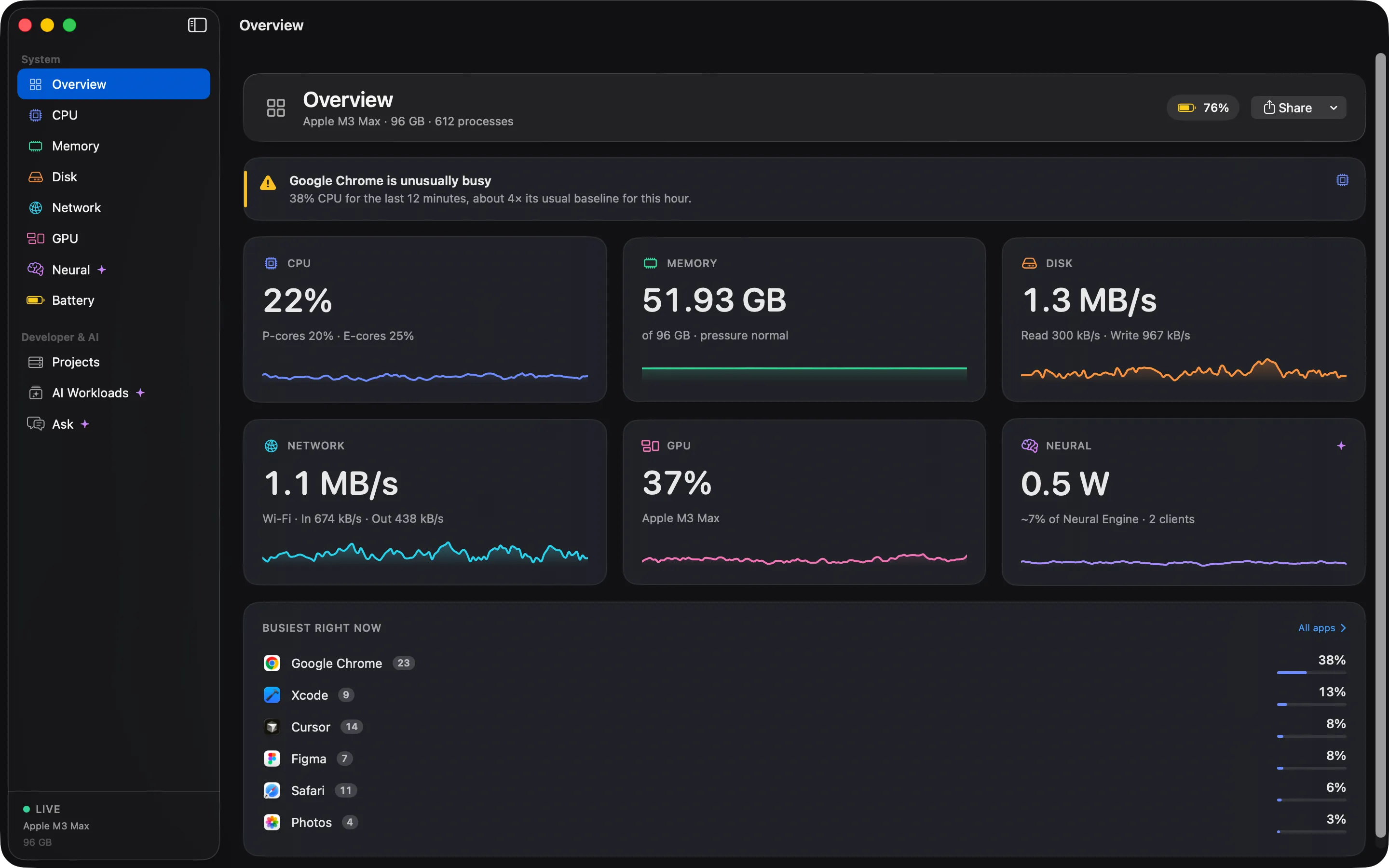
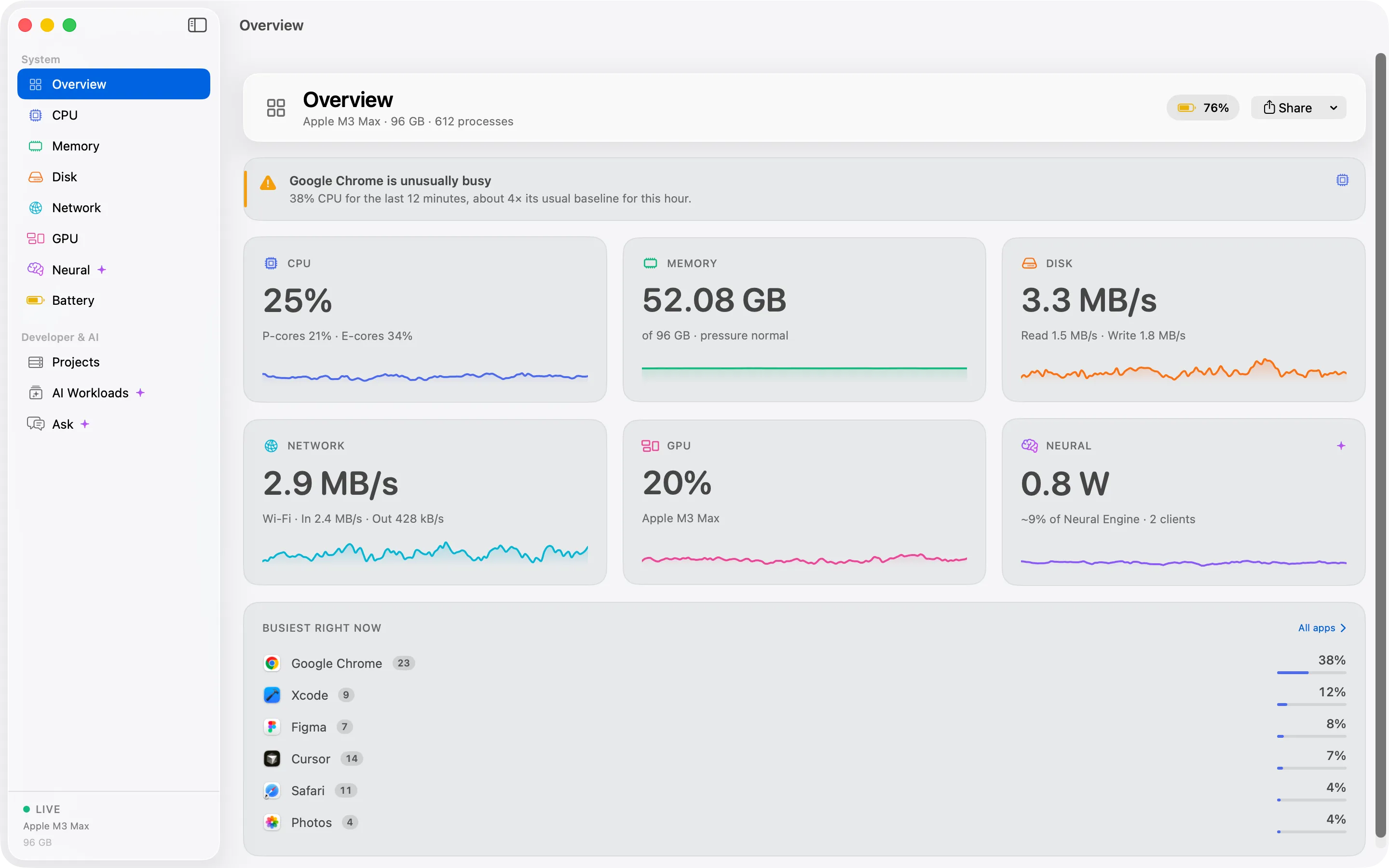
Cortex turns a thousand processes into the sixty apps you actually run, remembers the last 30 days, and shows what your Neural Engine and local models are doing. Everything stays on your Mac.
One-time purchase · macOS 15 or later · Built for Apple Silicon
CPU
23%
Memory
18.4GB
Neural Engine
1.2W
Illustration Metric tiles are decorative, not real data.
1,000 → 60Processes grouped into apps
30 daysOf history for every app
0Accounts, trackers or analytics
1Payment. No subscription
Apps, not processes
See sixty apps, not a thousand processes.
Activity Monitor lists what the system sees: helpers, renderers, agents and daemons. Cortex counts each one under the app it belongs to, so a slow Mac has a name you recognise. Expand any app when you want the detail.
Activity Monitor1,000 rows
Google Chrome Helper (Renderer)4.1
com.apple.WebKit.WebContent3.8
WindowServer3.2
Code Helper (Plugin)2.9
Google Chrome Helper (GPU)2.4
node2.2
com.docker.backend1.9
mds_stores1.6
Google Chrome Helper (Renderer)1.5
Code Helper (Renderer)1.3
photoanalysisd1.1
Google Chrome Helper0.9
cloudd0.8
ollama runner0.7
Google Chrome Helper (Renderer)0.6
trustd0.5
1,00060
Cortex60 apps
Google Chrome42 processes18.6%6.2 GB
Visual Studio Code17 processes9.4%2.8 GB
Ollama3 processes7.1%9.6 GB
macOS412 processes6.8%3.9 GB
Docker8 processes3.2%2.1 GB
Safari11 processes2.6%1.4 GB
IllustrationLeft: a process list as Activity Monitor shows it. Right: the same work grouped into apps by Cortex.
Built for Apple Silicon AI
Goes further on the hardware that runs your models.
Neural Engine power, local model memory, and an honest answer to "can I run this?". No other system monitor covers this much of Apple Silicon.
Apple Silicon
Neural Engine
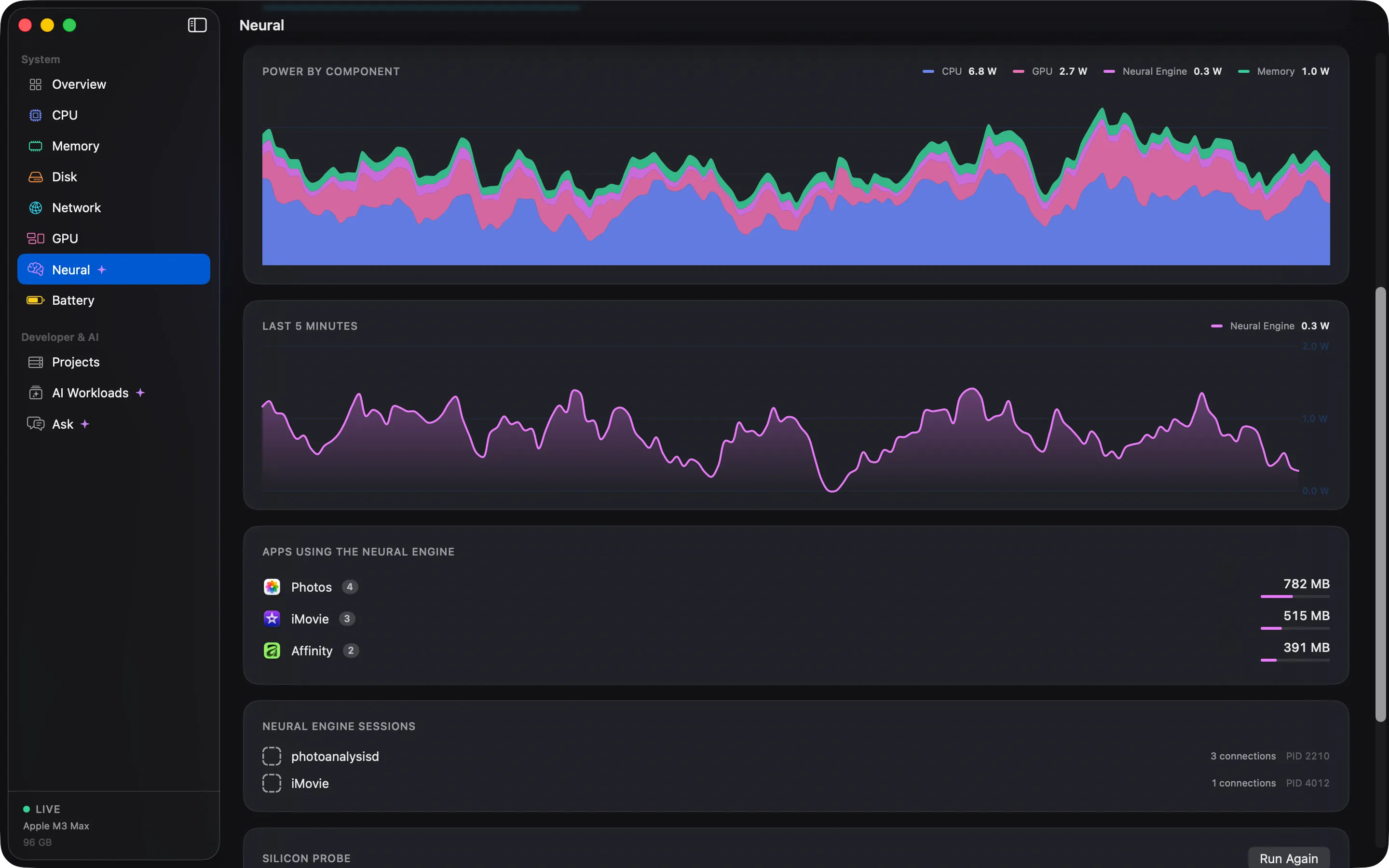
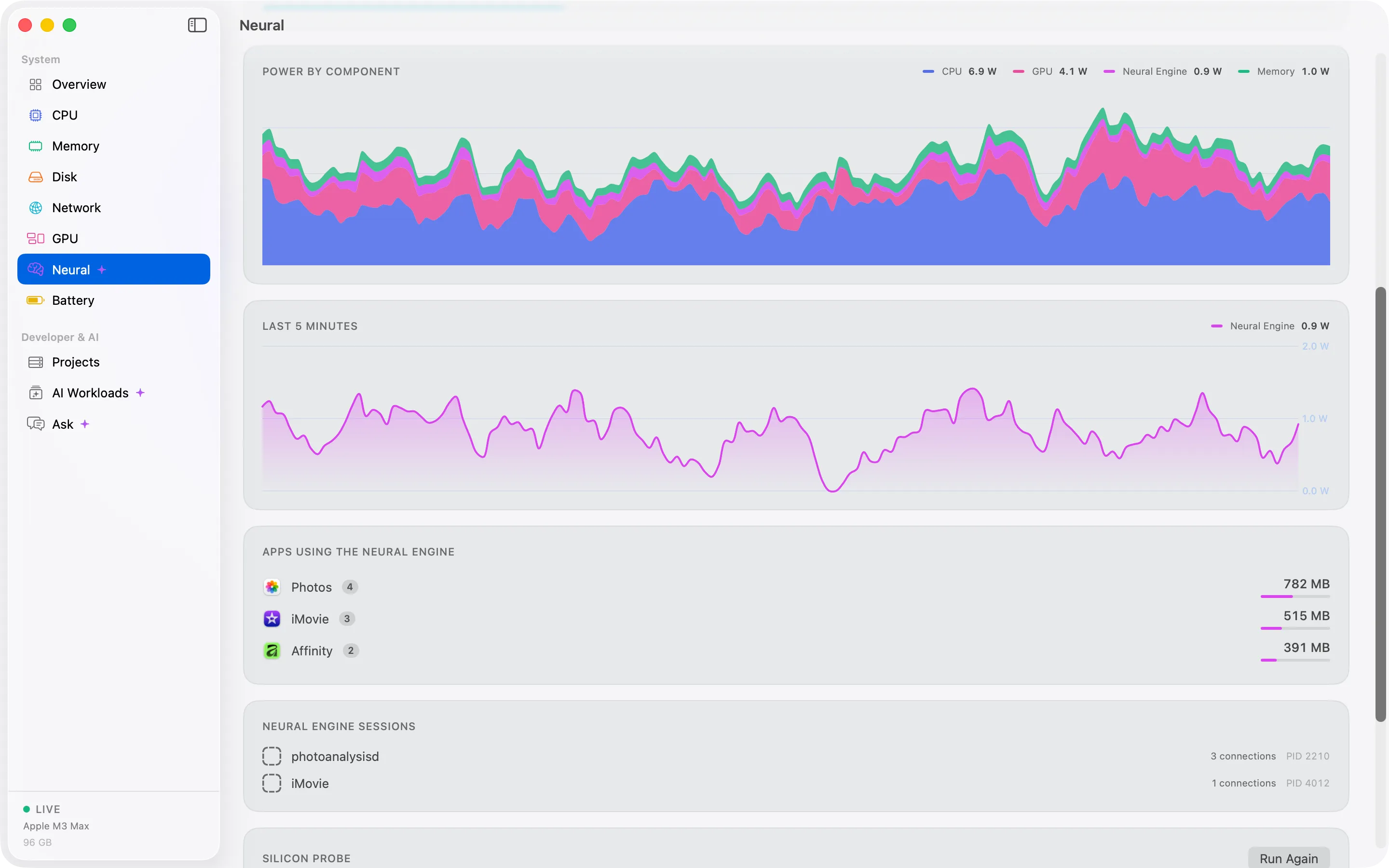
See Neural Engine power and estimated load next to CPU, GPU and DRAM, and which apps hold Neural Engine memory.
CPU
GPU
Neural Engine
DRAM
Illustration Stacked power by component. Neural Engine load is an estimate.
Local AI
Local AI workloads
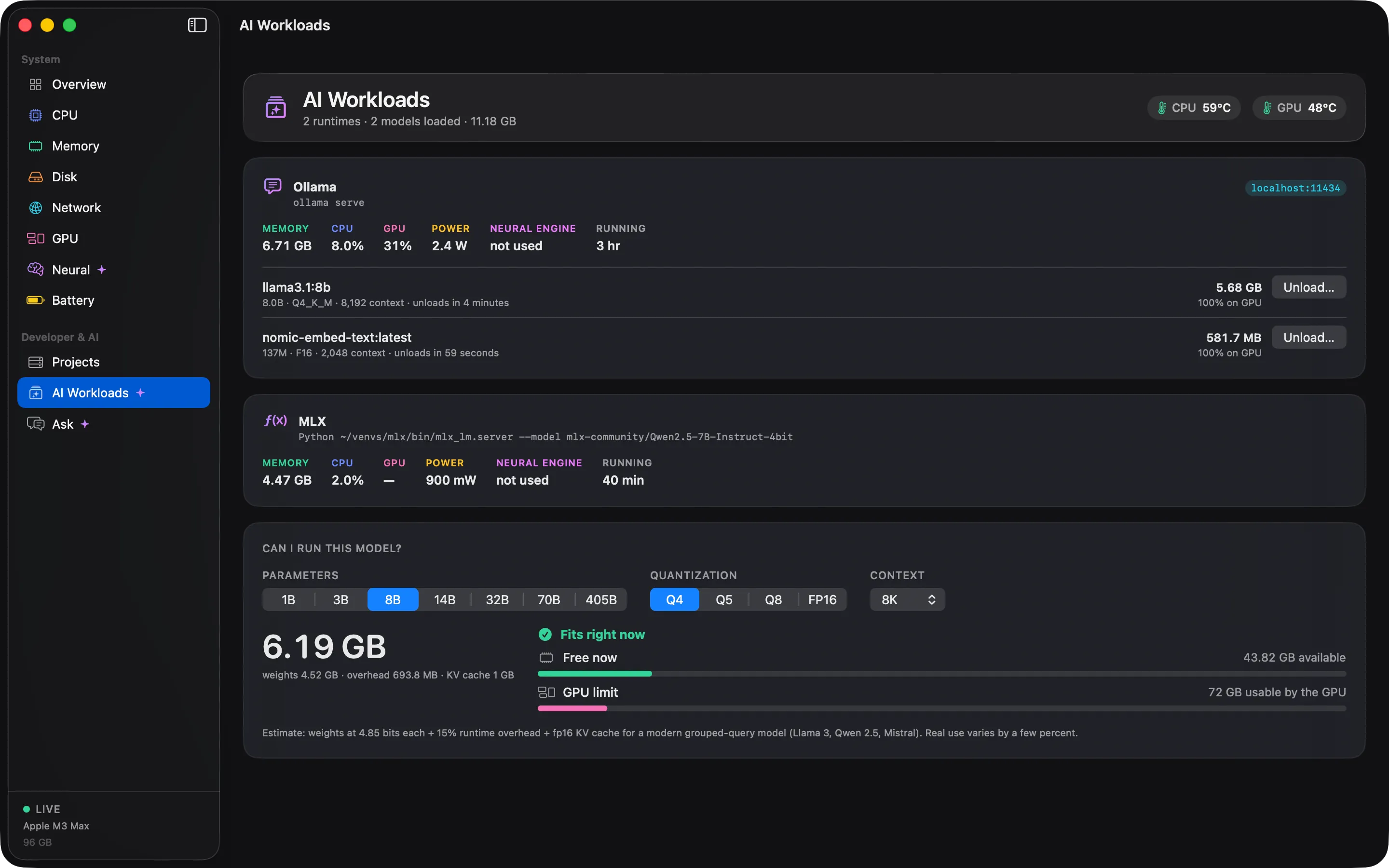
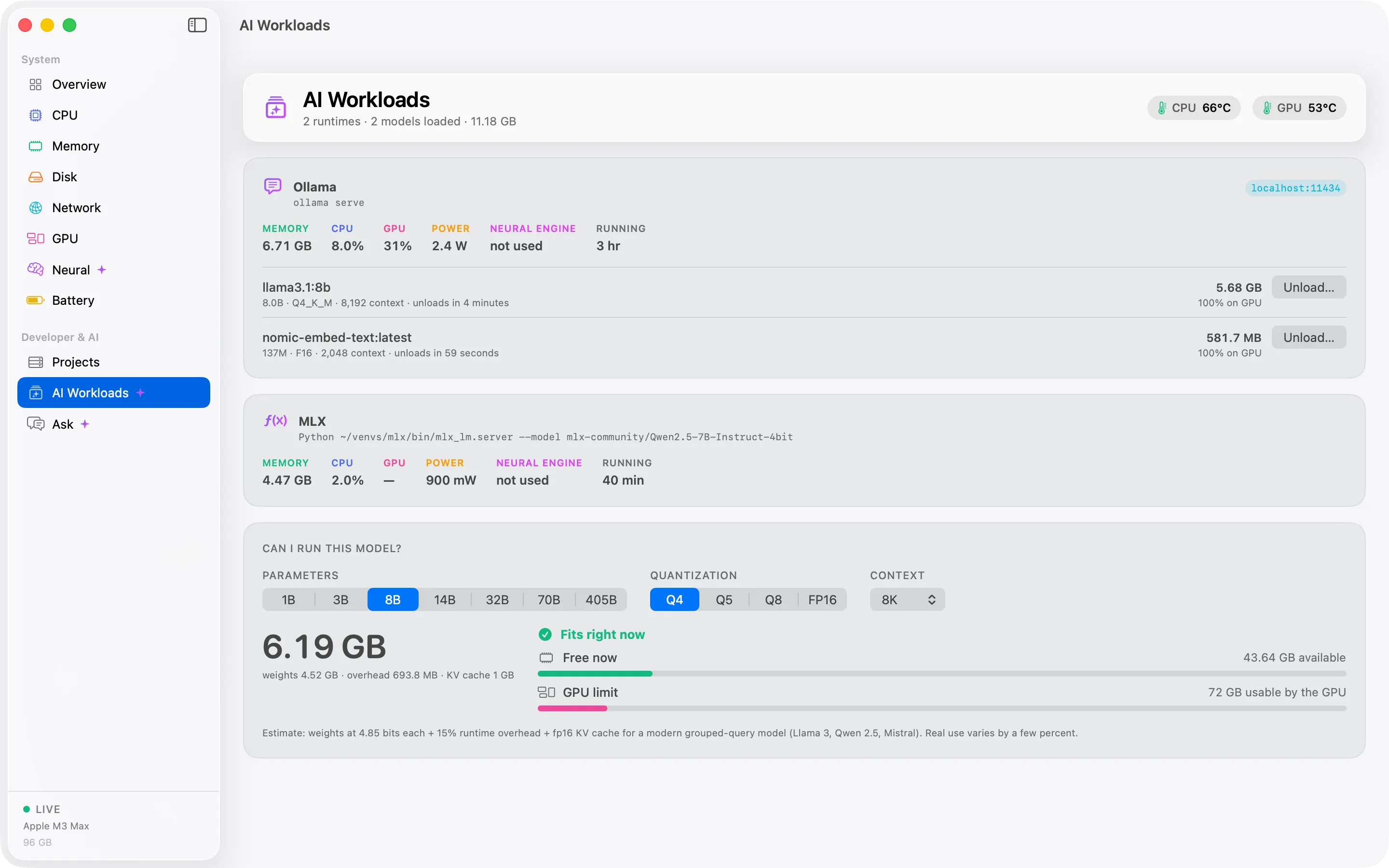
Cortex detects Ollama, LM Studio, llama.cpp server, ComfyUI and MLX or PyTorch processes, and shows the models they have loaded.
Can I run this model?
Model Fit Advisor
Pick the parameters, quantization and context length. Cortex compares the model with your free unified memory and the GPU memory limit.
Can I run this model?Llama 70B · 4-bit · 8K context
Needs42 GB
Free now21 GB
Almost fitsClose Chrome to free 21 GB
Illustration Example of an advisor result.
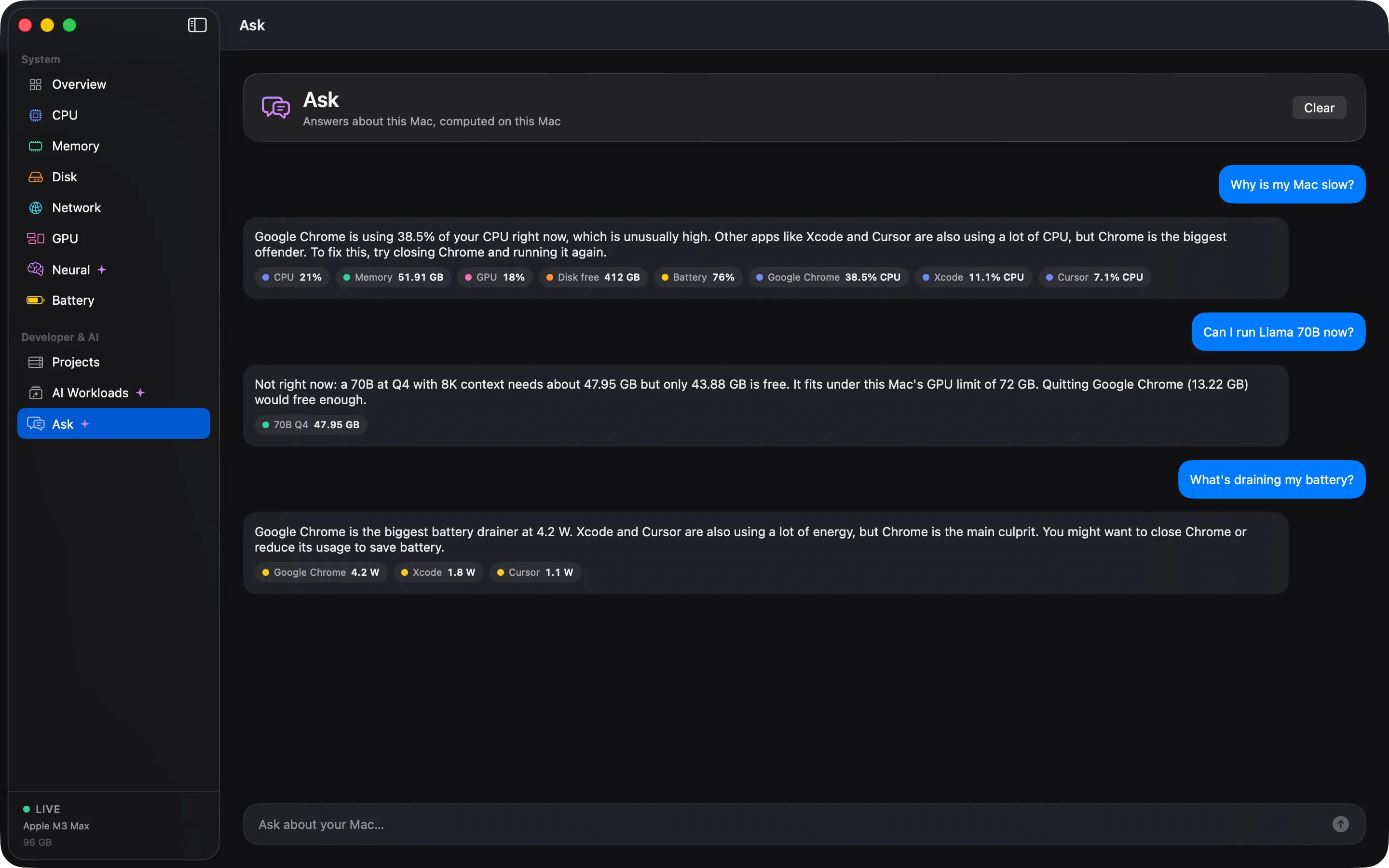
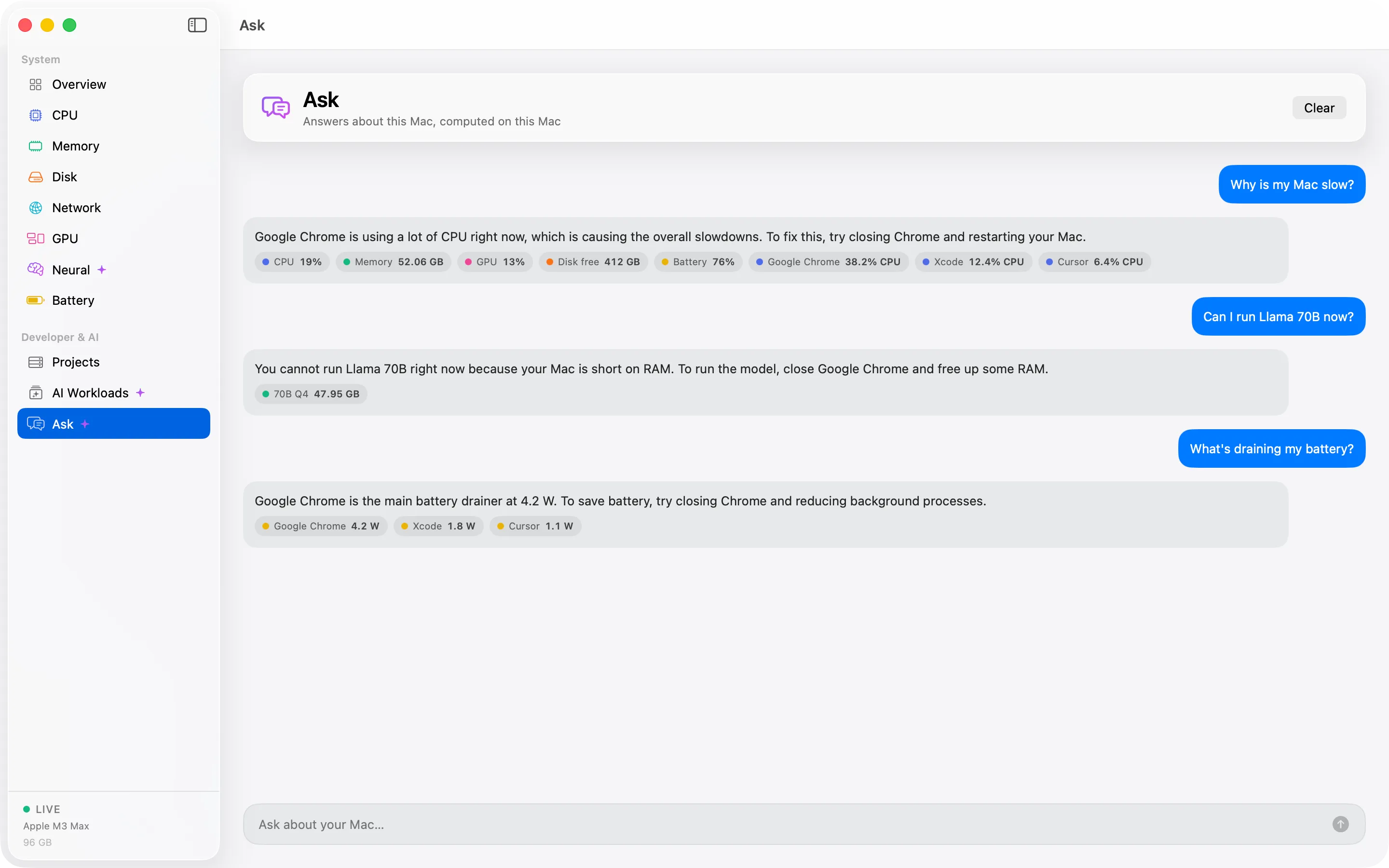
On-device assistant
Ask Cortex
Ask "Why is my Mac slow?" or "What drained my battery?" and get an answer from your own data, on your Mac.
Why is my Mac slow?
Memory pressure has been high for 25 minutes. Ollama is holding 9.6 GB for a model that has been idle since 14:10, and Chrome is using 6.2 GB across 42 processes.
Illustration Needs macOS 26 and Apple Intelligence. Otherwise a built-in assistant answers.
2License checkSends your license key, your Mac’s name and an anonymous device ID.
Everything else, including 30 days of history and every Ask Cortex answer, stays on your Mac.
Menu bar
Always there. Never in the way.
Pick an icon, a number, a mini graph or stacked metrics. When your Mac is under strain the icon turns into a warning. Click it for every metric and the busiest apps.
Illustration Menu bar styles
Icon
23%Number
Mini graph
CPU23%MEM64%GPU12%ANE4%Stacked metrics
Under strain
CortexFileEditViewWindowHelp
CPU23%MEM64%GPU12%ANE4%
CortexAll normal
CPU23%P-cores 31% · E-cores 18%
Neural Engine1.2WEst. load 14% · 2 clients
Memory18.4GBPressure normal
GPU12%2 apps
Network2.1MB/s↑ 340 KB/s
Battery82%6.4 W · 11:20 left
Busiest apps
Google Chrome6.2 GB18.6%
Visual Studio Code2.8 GB9.4%
Ollama9.6 GB7.1%
48 °C · Fans 1,850 rpmOpen Cortex
Mon Sep 28 9:41 AM
Illustration macOS 26 menu bar with Cortex open. Figures are examples, not real data.
Pricing
Pay once. Keep it.
No subscription and no trial. Buy it, activate it, and it keeps working, even offline.
No. Cortex needs to read other apps’ processes, which the App Store sandbox does not allow. It is distributed directly, signed and notarized by Apple.
Does it work on Intel Macs?
Yes. Cortex is built for Apple Silicon, and Intel Macs are supported with fewer metrics: there is no Neural Engine and no power data. It needs macOS 15 Sequoia or later.
How much does it cost?
$5, once. There is no subscription and no trial. Every future update is included, for life. See the update policy.
Can I buy Cortex for more than one Mac?
Yes. Pick 1, 2, 5, 10 or 20 licenses on the pricing card. Each license is $5 and activates Cortex on one Mac at a time, so 5 licenses cover 5 Macs. You pay once, as with a single license.
How do I move my license to a new Mac?
One license covers one Mac at a time. On the old Mac, open Cortex › Settings › License and choose Deactivate This Mac. Then enter your key on the new Mac.
If you enter the key on a second Mac first, Cortex tells you which Mac has it and when that Mac was last used.
Is my data uploaded?
No. Your metrics, history and Ask Cortex conversations stay on your Mac. Cortex makes only two kinds of network request: the update check and the license check. There is no telemetry.